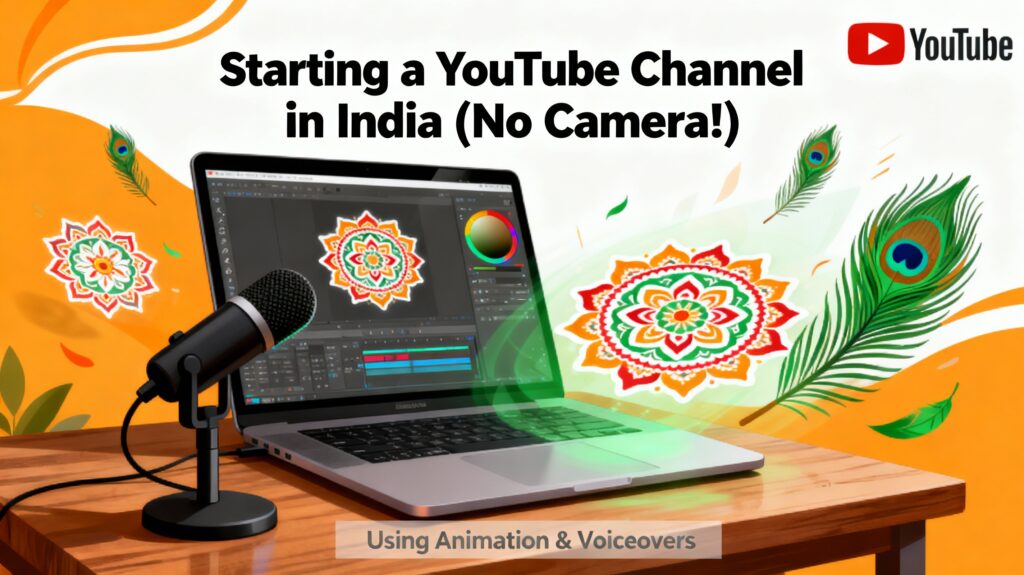

How to Start a YouTube Channel Without a Camera in India – A Gentle Guide for Beginners
“Every voice has a story… and every story deserves a beginning.”
For many aspiring creators in India, this beginning starts with a dream — a YouTube channel.
But then a doubt rises…
“I don’t have a camera.”
“I don’t want to show my face.”
“Can I still start?”
The answer is simple, warm, and hopeful:
Yes. You can start today. Without a camera. Without showing your face. Without spending money.
In a world where creativity is more important than equipment, YouTube has opened its doors wide for everyone — for storytellers, thinkers, teachers, artists, gamers, editors, poets, learners, and introverts who prefer silence over spotlight.
This guide will gently walk you through how to start a YouTube channel without a camera in India, with simplicity, clarity, and encouragement — just like the quiet wisdom of the book you shared.
1. Begin With Your Reason — Your “Why” Matters More Than a Camera

In the Japanese idea of Ikigai, there is a belief:
If your purpose is strong, the path becomes simple.
Starting YouTube without a camera isn’t a limitation — it’s a reminder that content comes from intention, not equipment.
Ask yourself:
-
What value do I want to share?
-
What makes me feel alive when I talk about it?
-
What will make me excited to create regularly?
Whether it’s teaching English, explaining news, telling stories, reviewing apps, or sharing inspiring thoughts — your reason becomes your strength.
Your phone, laptop, or even your voice is enough.
2. Use Your Smartphone — The Camera You Already Own

Most creators don’t realize this truth:
Your smartphone is more powerful than many old YouTube cameras.
Whether it’s a basic Android phone or an iPhone, you already have a complete studio in your hand.
And even if you don’t want to show your face — you don’t need to.
You can record:
-
Screen recordings
-
Voiceovers
-
Slideshows
-
Tutorials
-
Presentations
-
Gaming videos
-
Reviews
-
Motivational content
All without using a camera in the traditional sense.
3. Create Videos Without Showing Your Face
A peaceful truth:
Many successful channels on YouTube never show their face.
And you can build one too.
Here are gentle, practical methods to create powerful content without being on camera:
1. Voiceover Videos
Use your voice to explain concepts, tell stories, or guide viewers.
Tools:
-
VN Editor
-
CapCut
-
Kinemaster
-
InShot
2. Whiteboard Animation Videos
Visual learning works beautifully.
Tools:
-
Doodly (paid)
-
Renderforest (free templates)
3. Screen Recording Videos
Perfect for tutorials, app reviews, or tech education.
Apps:
-
XRecorder
-
Mobizen
-
Built-in Android/iPhone recorder
4. Slideshow + Voice Videos
Easy, clean, beginner-friendly.
Tools:
-
Canva
-
Google Slides
5. Gaming Videos
You only need screen record + your commentary.
6. AI Voice + AI Clips Video
For those who don’t want to use their voice.
Tools:
-
ElevenLabs free voices
-
CapCut AI clips
-
Nichesss scripts
7. Faceless Documentary Channels
Narration + images + soft music = engaging content.
4. Use AI to Create Faceless YouTube Videos For Free

In today’s world, AI has become a peaceful companion — helping us create without pressure.
Here’s how you can create an entire faceless video using AI tools:
🔹 Script Writing (Free)
-
ChatGPT free model
-
Google Gemini
-
Nichesss AI
🔹 AI Voiceover (Free)
-
ElevenLabs free plan
-
CapCut AI voice
-
Narration Box
🔹 AI Visuals (Free)
-
Pexels videos
-
Pixabay clips
-
Canva free elements
-
CapCut templates
🔹 Editing (Free)
-
VN App
-
CapCut
-
DaVinci Resolve (PC)
You don’t need a camera… because AI has become your assistant.
5. Best YouTube Channel Ideas in India — Without Showing Your Face (2026 Ready)
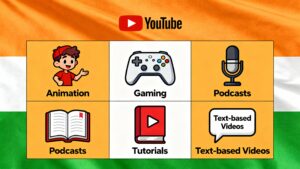
Here are categories that will trend strongly even in 2026 and beyond:
1. Motivational & Self-Improvement Channel
Use voiceover + soft visuals.
2. News Explanation Channel
No face needed — only clarity.
3. Tech & App Reviews
Screen recording = enough.
4. Educational Concept Channel
Math, science, UPSC, current affairs.
5. Finance & Stock Market Basics
Use graphs + voiceover.
6. Storytelling & Podcast-Style Videos
People love calm voices.
7. Gaming Channel
Screen recording + commentary.
8. Travel Facts Channel
Use stock videos + narration.
9. AI Tools Teaching Channel
Show screen… teach tools.
10. Top 10 & List-Based Channels
Easiest to start, highest demand.
Not showing your face is not a restriction — it’s a choice.
6. Tools You Need to Start Free YouTube in India (No Camera Needed)
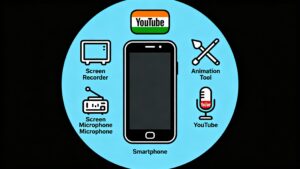
✔ Smartphone or Laptop
Any basic device works.
✔ Screen Recorder
Free and simple.
✔ Editing App
VN, CapCut, DaVinci.
✔ Thumbnail Maker
Canva (free), Pixellab.
✔ Audio Cleanup
Adobe Podcast AI (free).
You already have everything you need.
7. How to Grow a Faceless YouTube Channel in India
Growth doesn’t come from equipment.
It comes from consistency, clarity, and connection.
✔ Upload 3–4 videos weekly
(not perfect videos — consistent videos)
✔ Use engaging titles
Example: “Top 10 Apps That Will Change Your Life in 2025”
✔ Create compelling thumbnails
Use contrast colors.
✔ Add value
Teach, explain, guide, entertain.
✔ Build your unique style
Voice tone
Background music
Visual format
Narration pace
When your identity becomes your style, your channel becomes your signature.
FAQs — How to Start a YouTube Channel Without a Camera in India
1. How to start YouTube channel without camera India for free?
Use your smartphone, screen recording, voiceovers, AI visuals, and free editing apps like CapCut and VN. No camera is required.
2. How to start YouTube channel without showing face?
Use slideshows, screen recordings, animations, stock videos, or AI voice. Many successful Indian channels are completely faceless.
3. YouTube channel ideas without showing your face 2026
-
Motivational channel
-
Tech explainers
-
News breakdown
-
Stock market basics
-
AI tutorials
-
Gaming
-
Travel facts
-
History storytelling
-
Top 10 channels
-
Self-help podcast videos
These will trend strongly in 2026.
4. Top 10 YouTube channel ideas without showing your face
-
Motivational podcast
-
Tech tips
-
Finance basics
-
AI tools
-
Screen recording tutorials
-
Travel facts
-
Gaming
-
Digital marketing
-
History explainers
-
Educational concept videos
5. How to create a faceless YouTube channel using AI for free?
Use:
-
ChatGPT or Gemini (script)
-
ElevenLabs free (voice)
-
Pexels/Pixabay (visuals)
-
CapCut AI (editing)
Upload on YouTube — completely camera-free.
Conclusion

YouTube is not a platform for those who have equipment; it is a space for those who have something to say.
A camera does not create a creator — intention does.
A face does not define your identity — your message does.
A starting point does not need to be perfect — it just needs to be yours.
Begin today, with whatever you have.
Because creativity doesn’t wait for a camera…
It waits for courage.